Map reading seems like a lost art. An ancient skill that people used long before the smartphone. Students rely so much on their smart phones and tablets to help get them where they need or what they want. Break up the routine by having your students be the smart phone!
Made for use with:
PC
Mac
Chromebook
All resources are organized for assigning through Google Classroom!
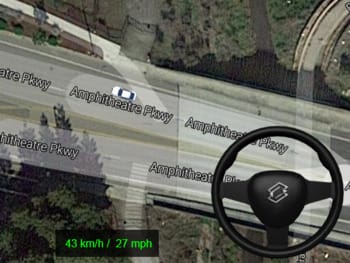
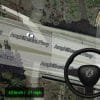
Google Maps GPS Buddy will have your students fully engaged in this exciting lesson where one student will be acting as a GPS for another student who will be “DRIVING” on Google Maps according to their partner’s directions.
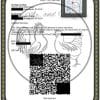
Students of all ages can enjoy this activity as it is meant for 3rd-12th grades! Students will each have a tutorial demonstrating how to use Google Maps with traditional address entries and additional links are provided to make this a “JUMP RIGHT IN!” activity! With the help of QR-Codes, younger grades will be right into the action and will have everything they need to help their partner reach their destination!
With 7 destinations, there is enough to introduce map reading to younger grades, but difficult enough to challenge even your seniors! We believe map reading has become a lost art and students need to have spatial and geographic awareness long before they get behind the wheel and rely completely on their GPS or smart phone.
The Teacher Cheat Sheet makes staying on track and pacing your students a breeze! With a click, you can pull up the exact directions with the round they are on. We provide notes on each destination and some tips along the way. Print this off or have the PDF open on your computer and this lesson is as easy as it gets!
Copy and paste student directions, attach two player files, and that’s it! Your lesson is good to go!
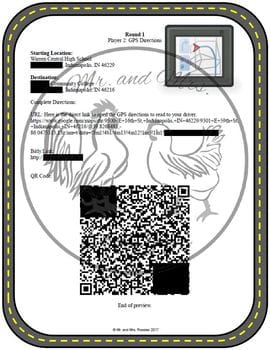
Click “Preview” to see both the Driver and GPS directions!
Includes:
*Google Maps – GPS Buddy Lesson Plan (PDF)
*7 Destination Rounds for students to practice their maps skills!
*Teacher Cheat Sheet and Delivery Methods (PDF)
*2 Player Direction Sheets (18 pages!) (PDFs)
*Exit Slip (PDF)
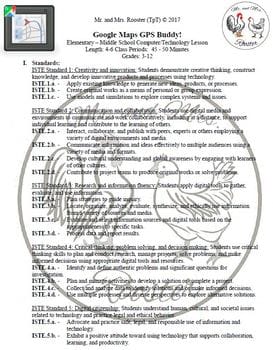
*ISTE and Common Core Standards alignment!
**4 Delivery methods!**
-Type physical address
-Click on provided URL
-Type in the shortcut Bitly URL
-Use a QR Code scanner application.
*Printable and up-loadable options to use through Google Classroom!
*Google Classroom tips & resources to get Classroom up and running!
*Ready-to-Post online directions! (PDF & DOCX)
*Natural progression of difficulty after every round!
*Easy grading when assigned through Google Classroom!
*Click FOLLOW to get notified of our next technology lesson!
**Your feedback helps guide us to which kind of lessons you would like to see in the future. Please take an opportunity to let us know what you think below. Thank you!**
***********************************************
COME AND VISIT OUR STORE!
If you enjoyed this product, please visit our store to see our other products! We have a wide range of resources including Technology Lessons, Science Resources, A Free Study Hall Bundle, and other creations to spice up your classroom and TpT resources!
We SPECIALIZE in Technology Lessons and Activities!
Below are our Technology lessons available individually or the bundle of your choice! (21%-23% OFF with BUNDLES!)
Did you know that when you leave feedback for a paid product, you receive credit toward your TpT account? Want to rack up some free credits? Go to your “My Purchases” page (logged in) and you will see a “Provide Feedback” button. Rate your paid products and get your money back for your money spent! We thoroughly enjoy and appreciate receiving your feedback and you receive credit! It’s win-win!
Please see the “TpT Credits” posting for more details and your current credit balance (logged in).
Our Store: Mr. and Mrs. Rooster
Be the first to know when we upload new products, discounts, and freebies by clicking on the green star next to our store logo to become a follower!


 Loading...
 Reload document
 Open in new tab


Reviews
There are no reviews yet.